
ASCIISOFT WebEditorLight to install,powerful to edit
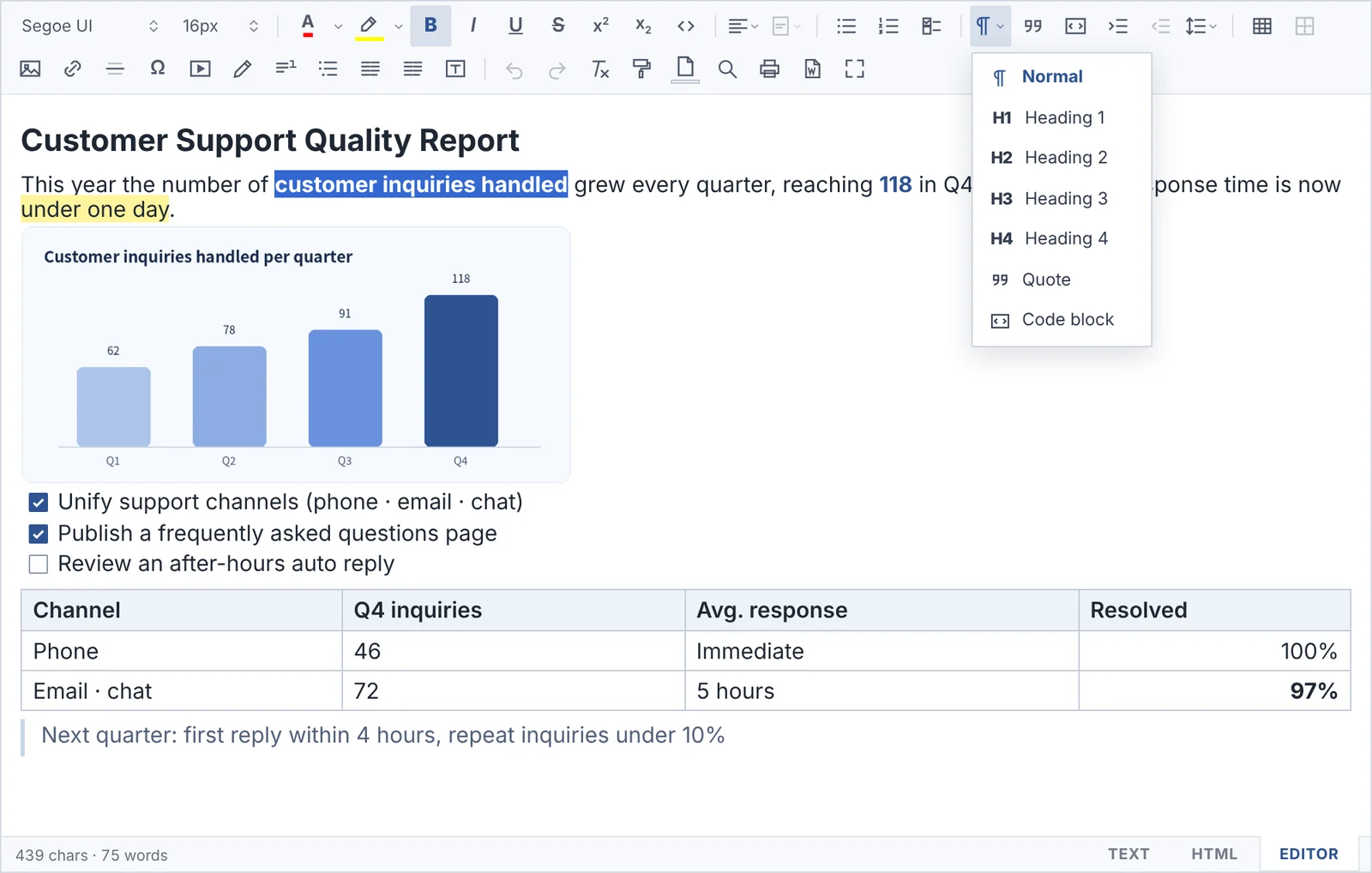
No installer and no extra libraries. Upload the files, add a few lines of code, and you get Office · Hangul paste with formatting, table editing and print-as-you-see right away. It works as is on internal networks without internet.
Download ASCIISOFT WebEditor
Includes the editor, the Config Builder, demos and image upload samples for many servers. The user manual is available online in Korean, English, Japanese, Simplified and Traditional Chinese.
License
Personal use is free and works right away without activation. Companies and institutions receive a license for the domain they use.
Requirements
Latest Chrome · Edge · Firefox · Safari. Any server language. Works on internal networks without internet.
An editor built for
internal business systems
Made to run for years without trouble in groupware, e-approval and bulletin boards of public institutions and companies, where outside connections are blocked.
Works right away on closed · internal networks
It never calls an external CDN, web font or outside server. Just upload the files and it works as is on separated networks.
Nothing else to install
No installer and no other libraries such as jQuery — just upload the files.
Offline license
Activation without contacting a license server. Free for personal use, paid for business.
Office · Hangul formatting
Paste tables and formatting copied from Word, Excel, PowerPoint and Hangul as they are.
Advanced table editing
Merge and split cells, per-cell borders, diagonals, fixed and auto column widths.
19 languages
UI in 19 languages including Korean, English, Japanese and Chinese.
Safe HTML
Scripts in pasted or loaded HTML are filtered out automatically to block XSS.
Everything you need to write
on one screen
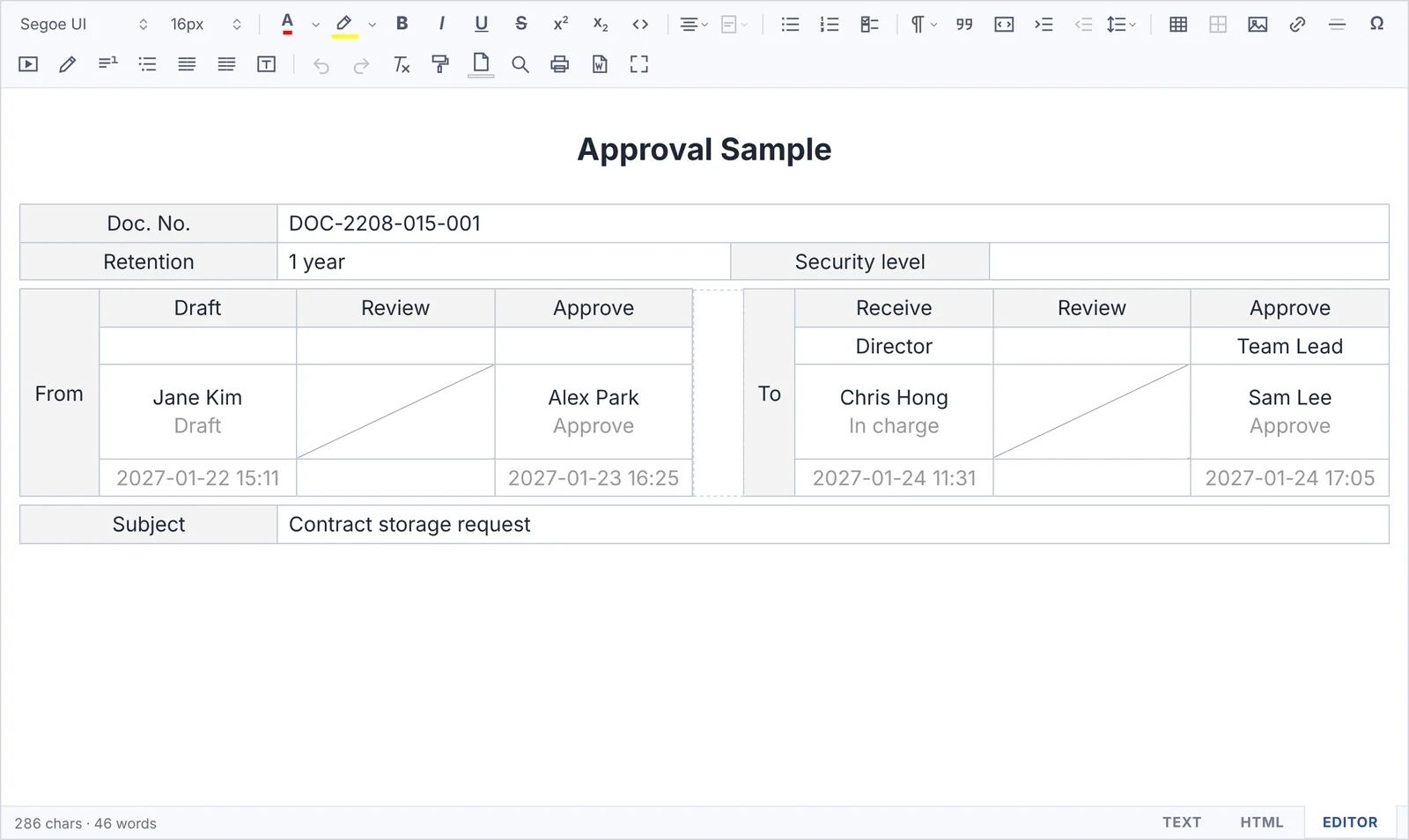
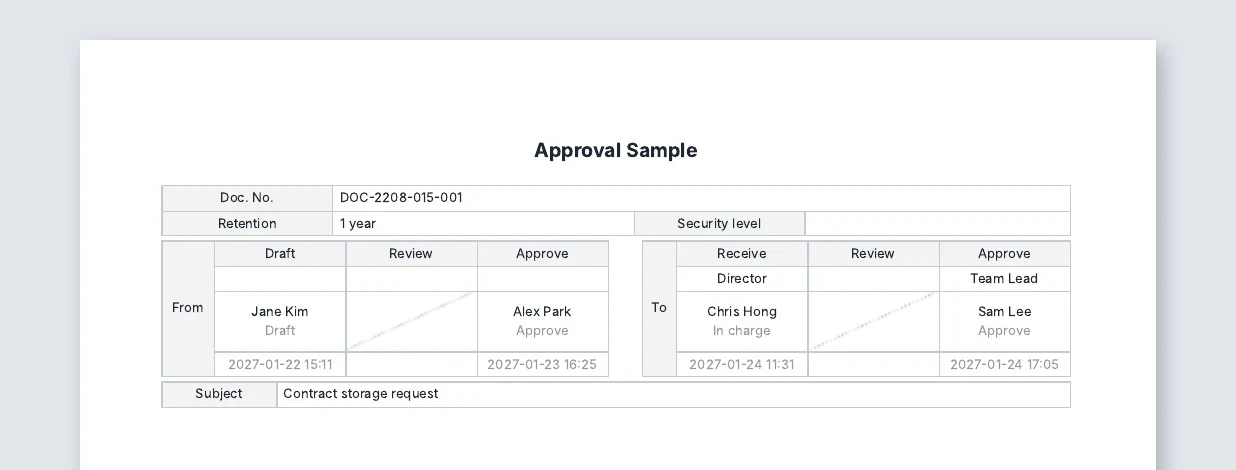
Even complex tables like approval forms
look exactly the same
Paste an approval form made in Hangul or Word and the column widths, cell backgrounds, diagonals and hidden lines all stay as they were.
- Merge · split cells, add and delete rows · columns
- Cell diagonals, cell background, hidden lines (shown as guide dots)
- Drag column widths · snap to nearby lines
Set borders like Excel
with one right-click
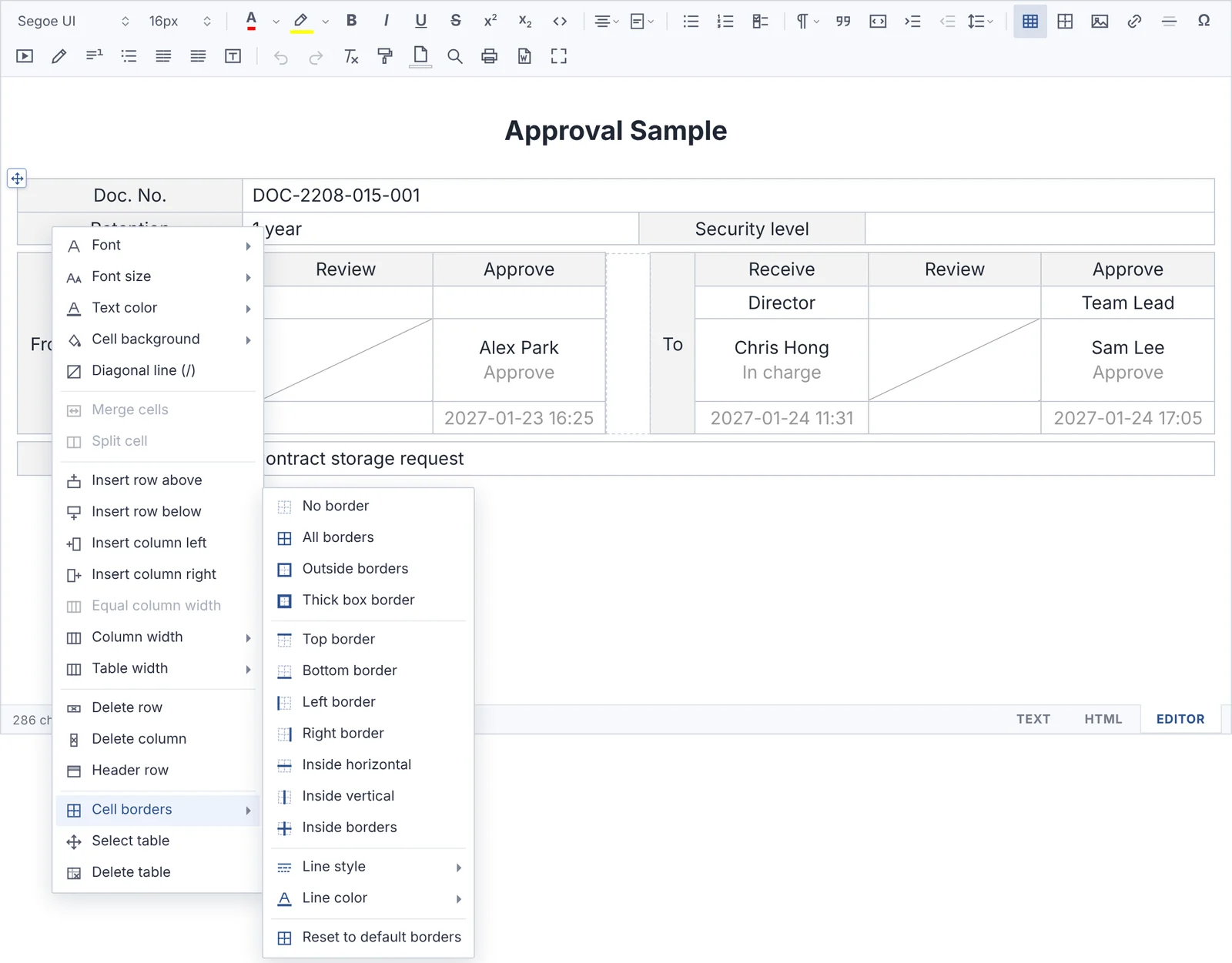
Select cells and right-click to change borders, line style, line color, column width and table width right away.
- All · outside · thick box · top · bottom · inside borders
- Solid · thick · dashed · dotted · double lines, line color
- Fixed or auto column width, fit to page width (100%)
Three modes,
saved HTML looks the same everywhere
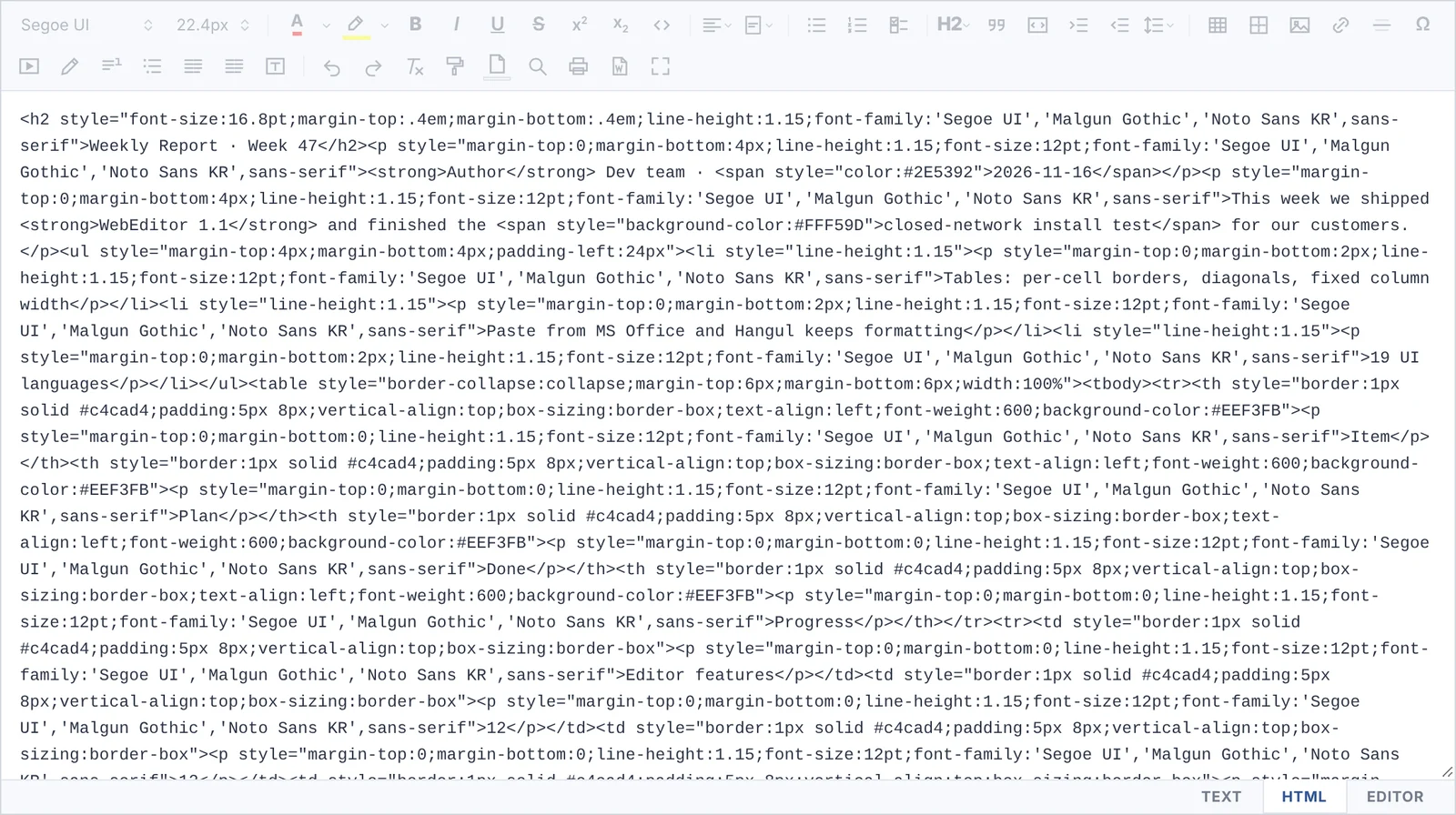
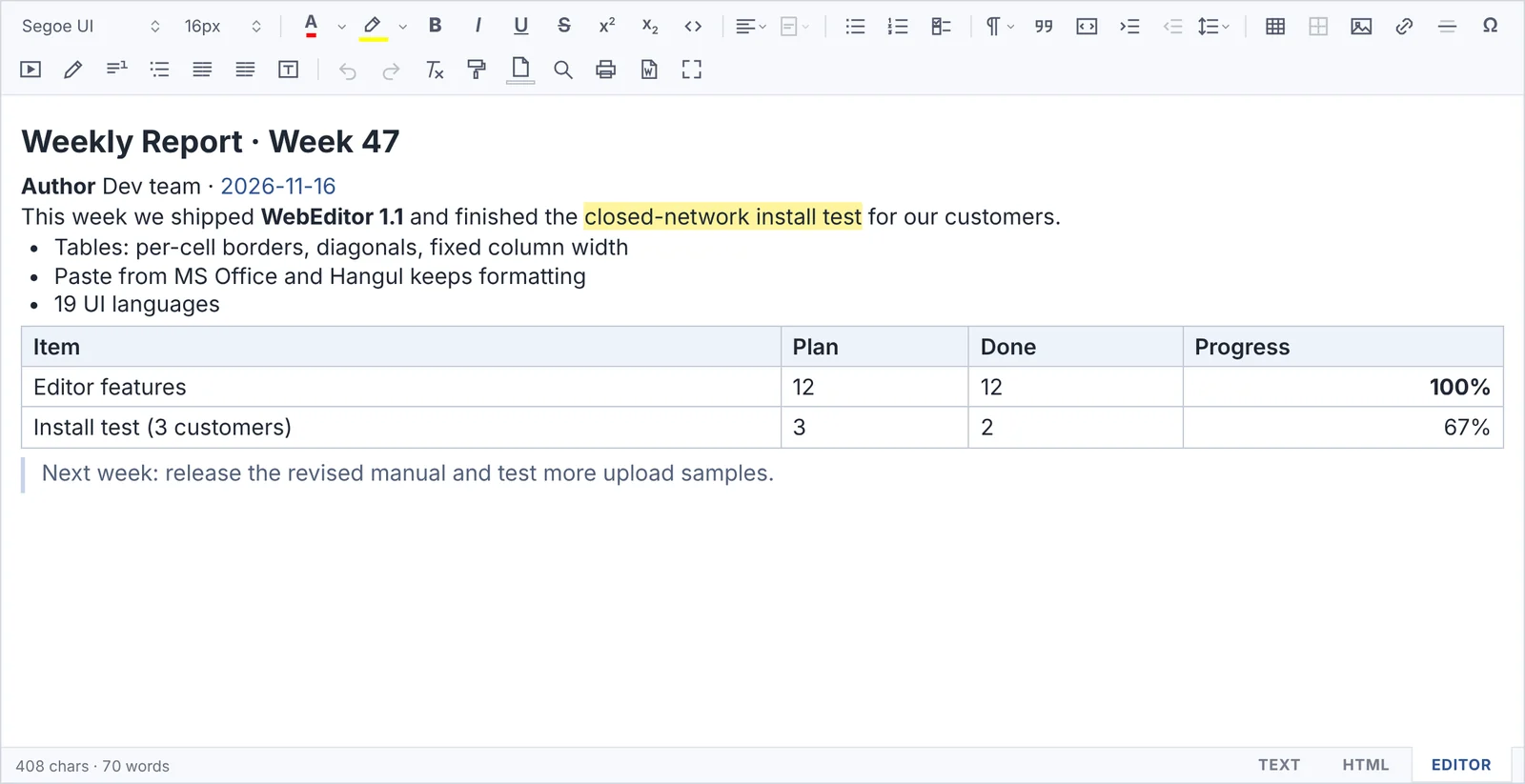
Switch between the editor, HTML code and plain text with tabs. Formatting is saved inside the HTML, so it looks the same as in the editor even in screens without CSS, in email and in Word.
- The HTML tab shows exactly the code that will be saved
- Character limit in TEXT mode · content size limit
- Works regardless of page encoding (UTF-8 · EUC-KR)
Printing and Word export
match the editor too
It is drawn at the same width as the editor and scaled to the paper, so table columns, line breaks, cell colors and diagonals print just like the screen. It also saves to a Word (.doc) file.
- Print · save as PDF (browser print)
- Save as a Word file, font sizes converted to pt
- Page color · footnotes · table of contents included
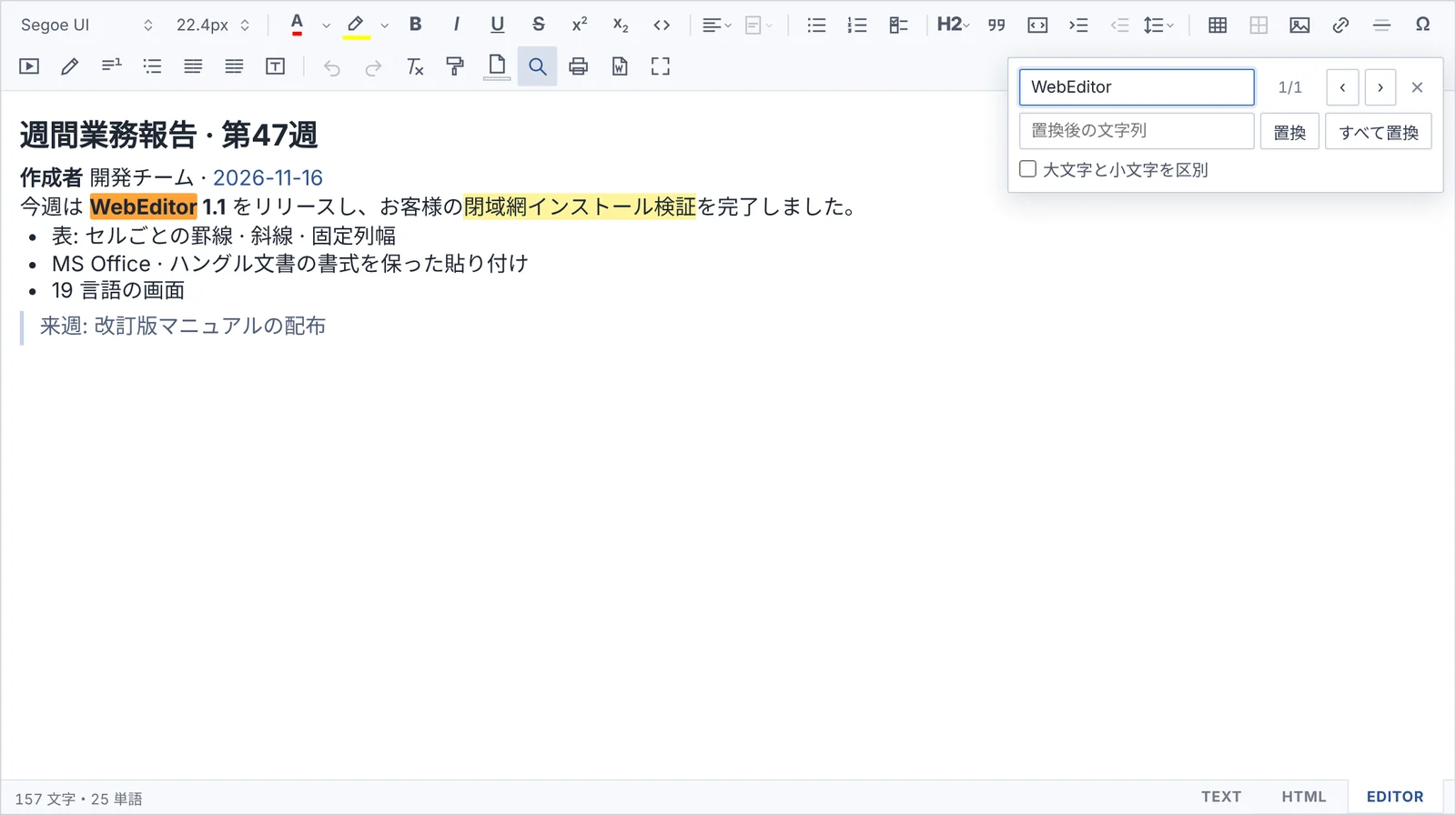
UI in 19 languages
and find · replace
The UI language follows the browser automatically. 19 languages are supported, including Korean, English, Japanese and Chinese (Simplified · Traditional).
- Find · replace (Ctrl+F), match case
- Fix the language with a single setting
- Missing translations fall back to English
Seven themes
to fit your site
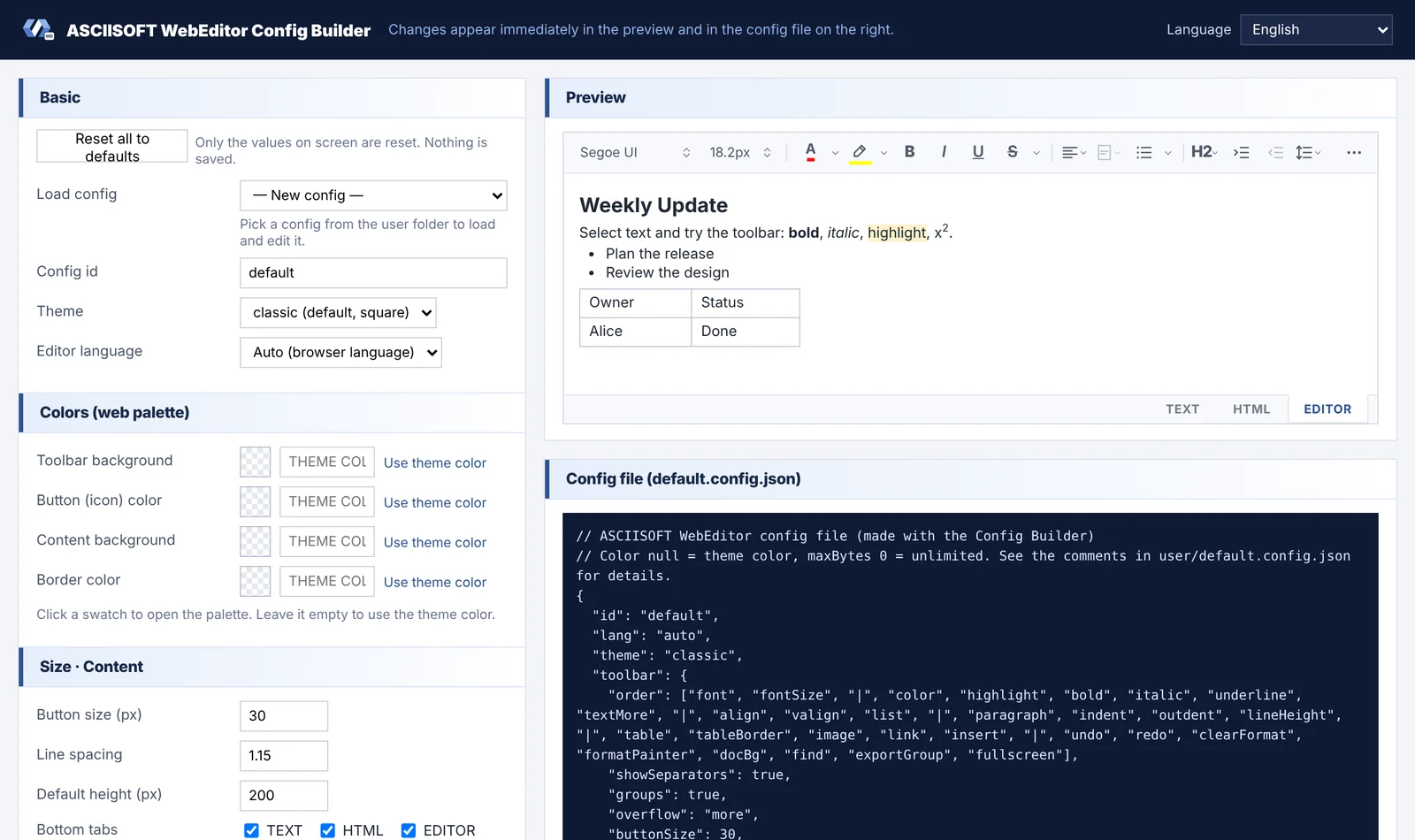
Choose a theme and change the toolbar, icon and content colors, button order and size in the settings. Click the list on the left to see each theme.
Classic · Default
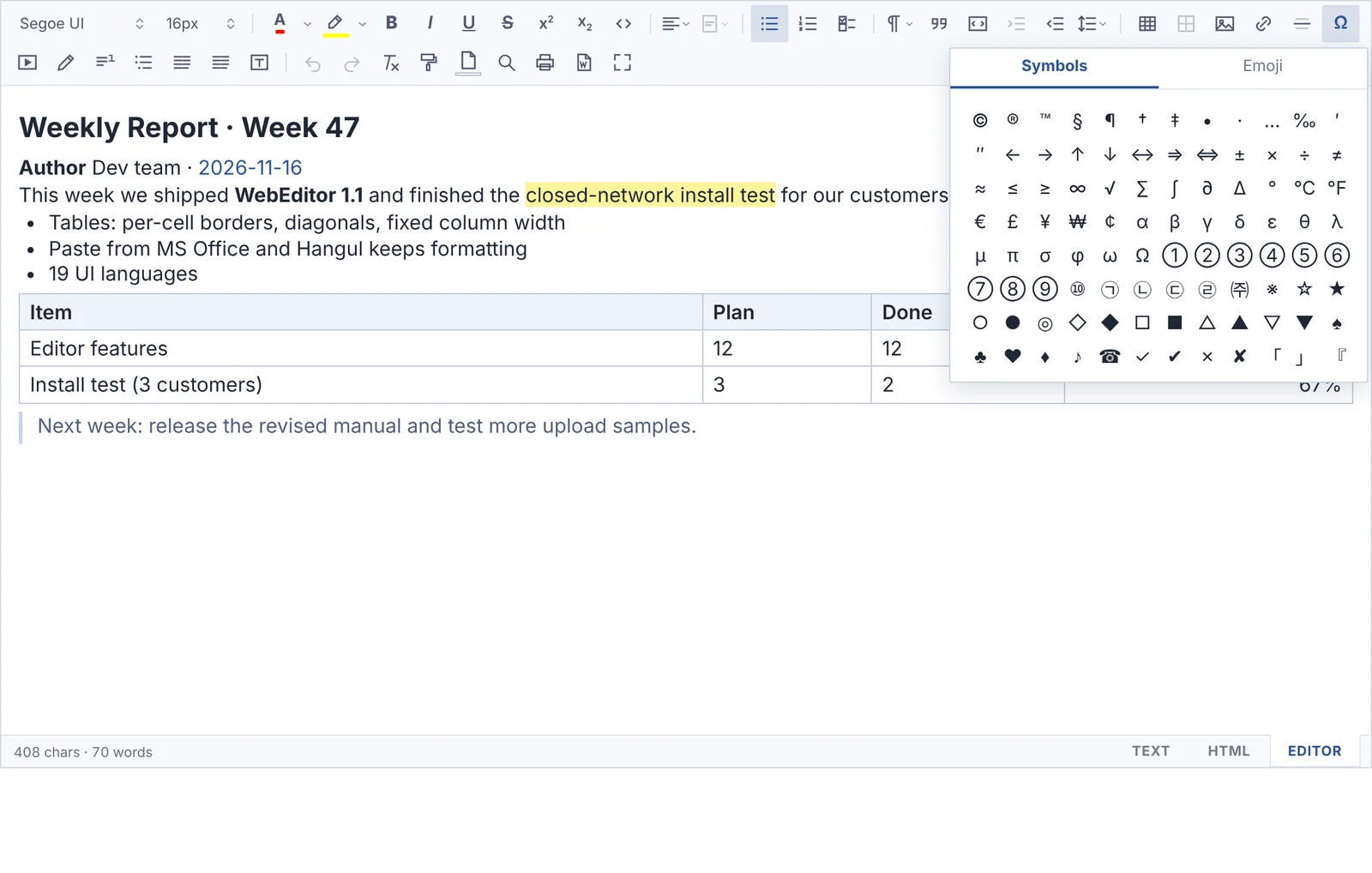
Small things,
taken care of
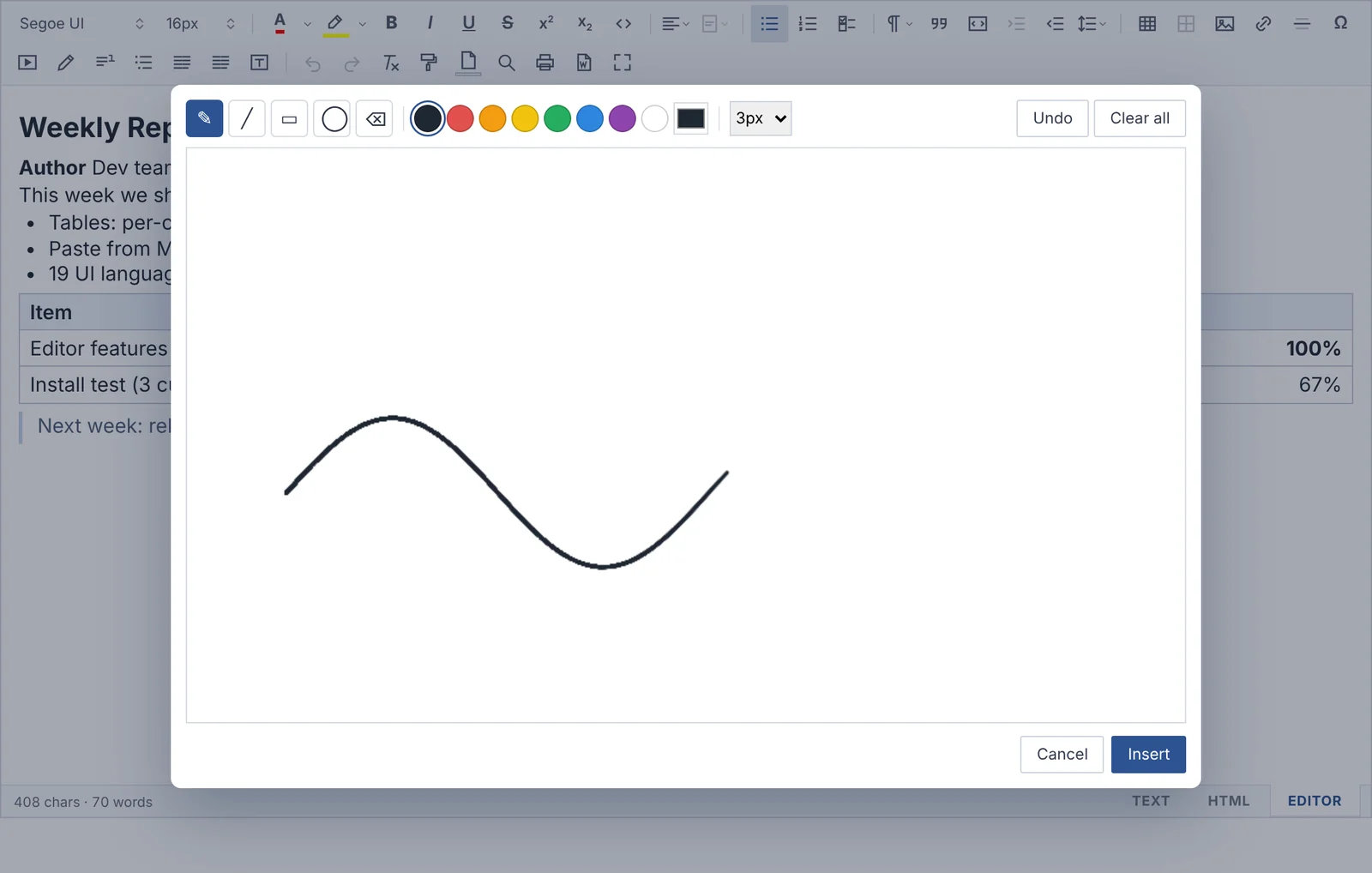
@Mentions · #Hashtags
Connect to user and tag search in groupware and collaboration screens.
Footnotes · TOC · columns
Build report-style documents right in the editor.
Images · video
Paste or drag to upload, resize, YouTube · mp4.
Format painter · highlighter
Format painter, apply the last color in one click, page color.
A few lines of code
and you’re done
Whatever your server language, just upload static files. To store images on your server, set a single upload address.
<link rel="stylesheet" href="/editor/dist/asciisoft-webeditor.css">
<script src="/editor/dist/asciisoft-webeditor.js"></script>

<div id="editor"></div>
<script>
  var ed = new ASCIISOFTWebEditor('#editor', 'default', {
    uploadUrl: '/editor/upload.php'   // image upload (optional)
  });
</script>
Upload the files
Unzip the download and upload it to your web server.
Add it to your page
Add the code on the left and you’re done. Settings such as theme, toolbar and language can be picked and previewed in the Config Builder.
Connect image upload
Use one of the 12 upload samples for your server language as is.
Specifications
| Product | ASCIISOFT WebEditor |
|---|---|
| Browsers | Latest Chrome · Edge · Firefox · Safari (Internet Explorer not supported) |
| Server | Any (static files). Storing images needs upload handling code — samples for PHP · ASP.NET · JSP · Spring · Node.js · Python · Go |
| Installation | Upload the JS · CSS files and settings to your web server and add a few lines of code (no installer · no extra libraries) |
| External connections | None — no CDN, web fonts, external images or license server |
| UI languages | 19 — 한국어, English, 日本語, 简体中文, 繁體中文, Español, Français, Deutsch, Italiano, Português, Русский, Türkçe, Polski, Nederlands, Tiếng Việt, ไทย, Bahasa Indonesia, Filipino, हिन्दी |
| Editing modes | EDITOR(WYSIWYG) · HTML · TEXT |
| Paste | Formatting, tables and images from MS Word · Excel · PowerPoint and Hangul (HWP) documents |
| Output | HTML (with or without inline styles), text, print · PDF, Word (.doc) |
| Security | HTML sanitizing (removes scripts and dangerous attributes), file content check in upload samples (blocks fake extensions) |
Free for personal use,
licensed for business
There is no difference in features. To use it in a company or institution, get a license for the domain you use and apply it.
Personal
- All features
- Use right away without activation
- Manual · upload samples included
Business
- Use on registered domains (S/N · term issued)
- Offline activation — no license server needed
- Technical support · updates
Try it now
The download includes the editor, Config Builder, demos and upload samples.